
TikTok has become a search engine, yet most creators still pick keywords by gut feeling. The best TikTok SEO tools replace that guesswork with real signals: what people search for, what is trending, and which of your videos actually get found. This guide covers seven TikTok SEO tools, free and paid, and shows which job each one does best.
What Are TikTok SEO Tools and Do You Need One?
TikTok SEO tools help you find keywords, hashtags, and trends for your videos, then check whether those videos are being discovered. None of them control rankings. What they give you is better raw material for your captions, on-screen text, and spoken script.
You'll get the most value if you post often and want to be found through TikTok search, not only the For You page. Metricool's TikTok SEO guide also points out that TikTok videos can be indexed by Google, so a well-optimized video may be discoverable in two places.
Short answer: if you post regularly, a free TikTok SEO tool is worth adding. A paid one only makes sense once the free options stop answering your questions.
How Did We Choose the Best TikTok SEO Tools?
We judged each tool on four points:
- Real TikTok data. Does it show actual search suggestions, trends, or engagement, or only generic SEO advice?
- Cost. Free options come first, because most creators don't need a budget to start.
- Fit for creators. Can you use it in a few minutes between posts?
- Honest limits. We flag where a claim comes from the vendor itself.
This list reflects each tool's published features as of October 2026. It isn't a lab test, and features and pricing change, so check each tool's own page before you commit.
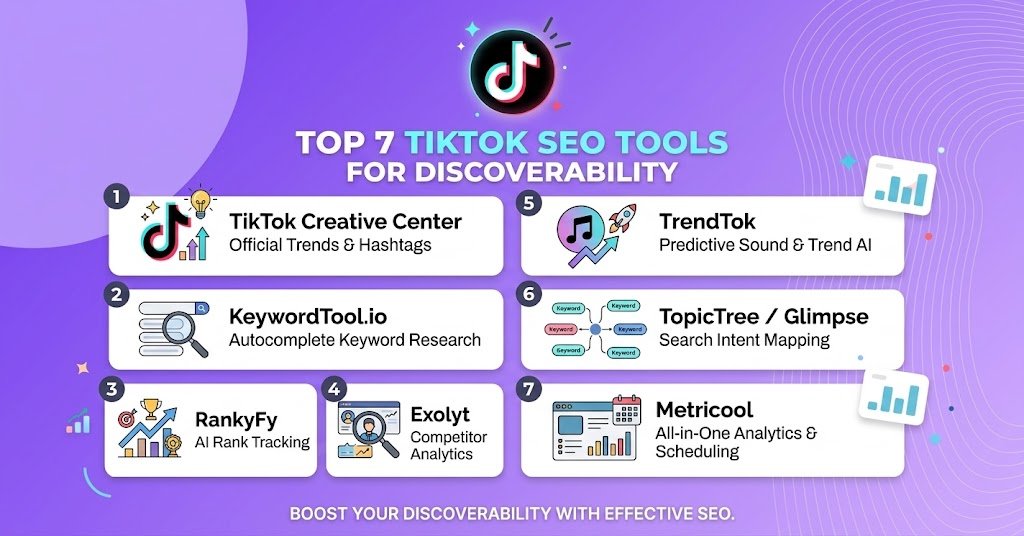
Top 7 TikTok SEO Tools at a Glance
| Tool | Best for | Cost |
|---|---|---|
| TikTok Search autocomplete | Finding real search phrases | Free, built into TikTok |
| TikTok Creative Center | Trending hashtags, sounds, and keyword ideas | Free and public |
| TikTok Studio | Checking how your own videos perform | Included with TikTok |
| Google Trends | Comparing topic interest over time | Free |
| TokScript Chrome extension | Keyword and competition research while browsing | Check current pricing |
| Tik Analyzer Chrome extension | Quick keyword and hashtag extraction | Listed as free |
| Hootsuite | Scheduling and reporting across accounts | Paid plans, check current pricing |
Free TikTok SEO Tools to Start With
1. TikTok Search Autocomplete
The best TikTok SEO tool for beginners is already inside the app. Type a topic into the search bar and TikTok shows the phrases people actually use. One German-language TikTok SEO guide calls TikTok's own search the most important free SEO tool, and the logic holds: it's the platform's own data.
Here's how to use it. Type your topic, write down every suggestion, then add a modifier such as 'for beginners' or 'at home' and note what changes. Build your caption and spoken hook around the phrases that match your video.
The limit: autocomplete shows phrases, not search volume.
2. TikTok Creative Center
TikTok's Creative Center is a free, public hub. According to TikTok's help page, its Trends section lists trending hashtags, songs, creators, and videos by region and industry, and Keyword Insights highlights top keywords and phrases from TikTok ads. A login isn't required, though TikTok recommends one to see all features.
One caveat matters here. Keyword Insights draws from ad copy, so treat it as a source of language ideas, not a precise organic search volume. Some third-party guides describe it as search volume data, but TikTok's own description is narrower. Because you can filter by region, it's also the easiest way to adapt hashtags and sounds for a global audience.
3. TikTok Studio
TikTok Studio is TikTok's own creator hub, and its analytics show how your videos perform. It can't tell you what to target. It tells you whether your last change worked. Compare two posts where you changed only the opening line or caption keyword, and look at views and watch time. Metricool's guide stresses that viewers watching a video to the end is a strong signal, so watch time deserves more attention than likes.
4. Google Trends
Google Trends isn't a TikTok tool, and it measures Google searches, not TikTok ones. Directories such as FitGap still list it as useful for creators. Use it to compare two ways of phrasing a topic or to spot seasonal spikes, then confirm the phrase on TikTok before you build a video around it.
Best TikTok Chrome Extension Options
The best TikTok Chrome extension depends on how deep you want to go. Both options below work in the browser while you search TikTok on a desktop.
5. TokScript
TokScript's April 2026 changelog describes a rebuilt Chrome extension. For a keyword search, it reports total videos, unique creators, the follower size of the accounts dominating results, engagement range, how fresh the top results are, and the typical video length. It also captures TikTok's autocomplete suggestions as you type.
That's useful for a practical reason. If every top result for your keyword comes from huge accounts, a narrower phrase gives you a better shot. These details come from the vendor, so test the extension on a keyword you already know well before trusting it.
6. Tik Analyzer
Tik Analyzer is a free Chrome extension, according to its Chrome Web Store listing. It extracts keywords from video titles and captions and analyzes hashtags. It's a newer extension with a small user base, so read the permissions before installing and treat its output as idea fuel, not proof. It's a fine pick for quick hashtag checks.
Which Tool Helps You Track Results?
7. Hootsuite
Hootsuite is a social media management platform, not a keyword tool. Its own TikTok tools guide lists scheduling, analytics, and posting-time suggestions among its features. It earns a place here because TikTok SEO only works if you measure it. It's best for social media managers handling several accounts. A solo creator can usually skip it and rely on TikTok Studio.
Is There a TikTok Video Checker Online?
No official TikTok video checker online scores a video's search potential before you post. Tools in this space analyze keywords, profiles, or published videos. That's helpful, but it isn't a verdict, and we couldn't verify any online checker that predicts rankings. Be skeptical of any that claims to.
Run this checklist yourself before you publish:
- The main keyword appears in the first line of the caption.
- You say the keyword out loud in the first few seconds.
- The keyword shows up as on-screen text.
- Hashtags match the topic, not only what's trending.
- The video answers what someone typing that phrase wants to know.
Vendor guides such as NoimosAI's report that TikTok reads spoken audio, on-screen text, and captions. That's why repeating the same phrase in all three places is a sensible habit.
A Simple TikTok SEO Workflow
- Start with autocomplete. Collect five to ten phrases for your topic.
- Check the trend. Look at Creative Center for hashtags and sounds in your region.
- Size up the competition. Use an extension to see who dominates the phrase.
- Write for the phrase. Place it in the caption, the spoken hook, and on-screen text.
- Review after publishing. Check TikTok Studio after a week or two and keep what worked.
Change one thing at a time. If you change the keyword, the hook, and the hashtags together, you won't know which one made the difference.
Common TikTok SEO Mistakes to Avoid
- Stuffing captions. A caption packed with keywords reads badly and doesn't help viewers.
- Chasing every trend. A trending sound that doesn't fit your topic won't bring the right viewers.
- Trusting one tool's numbers as exact. Every tool estimates. Use them to compare options, not to predict results.
- Ignoring video quality. Search gets people to click. Strong content keeps them watching.
- Ignoring region and language. A phrase that works in one market may mean little in another.
Which TikTok SEO Tool Should You Choose?
The best TikTok SEO setup for most creators costs nothing: autocomplete for phrases, Creative Center for trends, and TikTok Studio for results. Add one Chrome extension when you want to see competition before you post. Consider Hootsuite only if you manage multiple accounts and need scheduling and reports in one place.
Your next step is small. Pick one video idea this week, run it through the workflow above, and compare it with your last post. If the numbers move, keep the habit.
Frequently Asked Questions
What is the best TikTok SEO tool for beginners?
Start with TikTok's own search autocomplete and the free Creative Center. Both use TikTok's data and cost nothing. Add a Chrome extension later if you want to see competition for a keyword.
Are TikTok SEO tools free?
Many are. TikTok Search, Creative Center, and TikTok Studio are free to use, and Google Trends is free too. Some Chrome extensions offer free tiers, while platforms like Hootsuite use paid plans. Check each tool's current pricing before you subscribe.
Do TikTok SEO tools guarantee more views?
No. They help you choose better keywords and spot trends, but TikTok decides what to show based on many signals, including how people watch and react to your video. Use the tools to make informed choices, then judge results from your own analytics.